
Start
The welcome screen that opens every journey
The Start node is the very first screen your users see when they open a journey. It sets the tone for the experience — welcoming them, explaining what's about to happen, and optionally presenting your terms and conditions before they proceed.
Every journey must have exactly one Start node. It is created automatically when you open the Journey Designer.
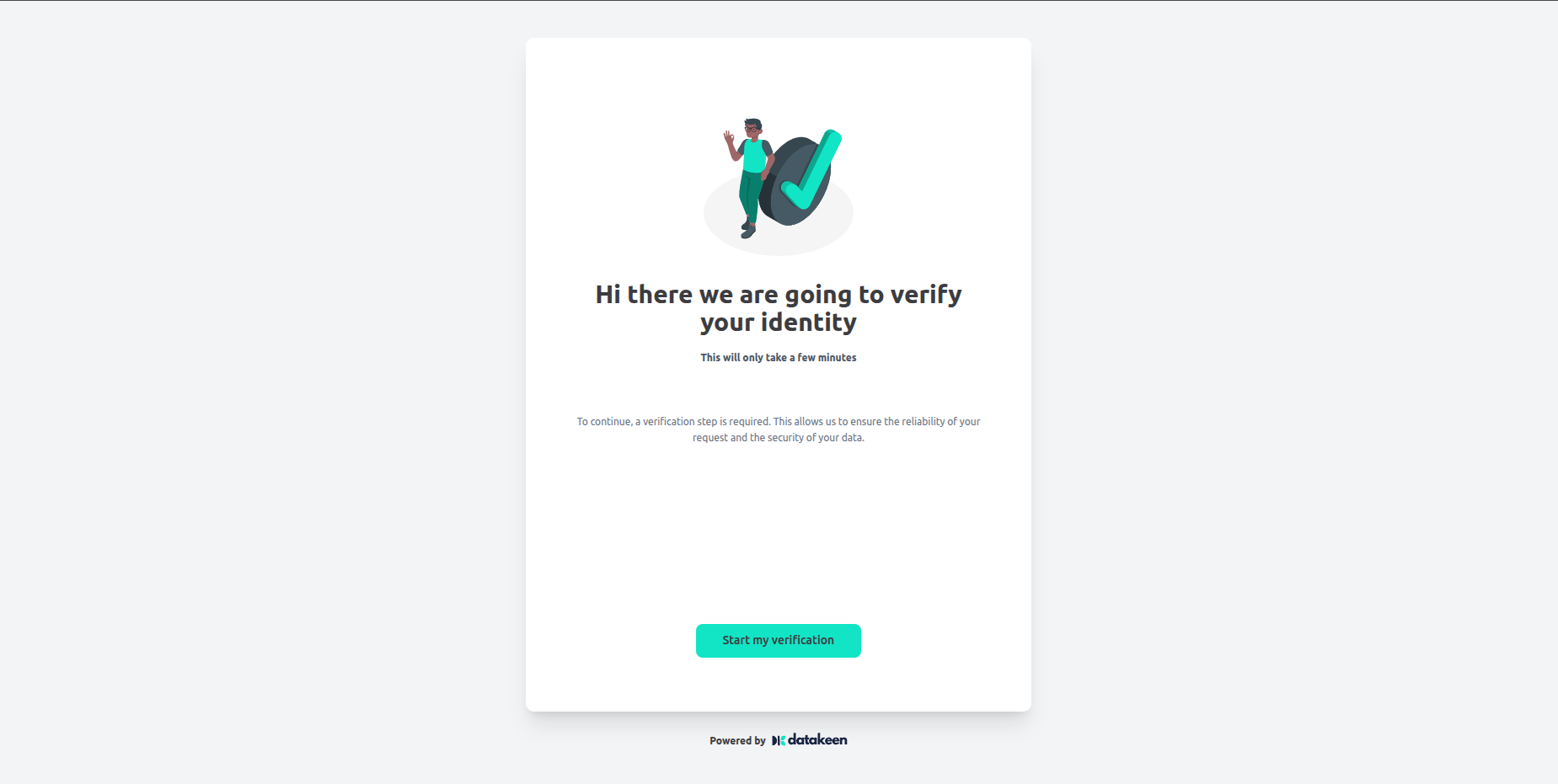
What your users see
When a user opens a journey, they land on the welcome screen. It shows:
- Your logo (configured in the journey parameters)
- An optional welcome image
- A button to begin the journey
The user taps the button to start — from there, the rest of the journey unfolds step by step.
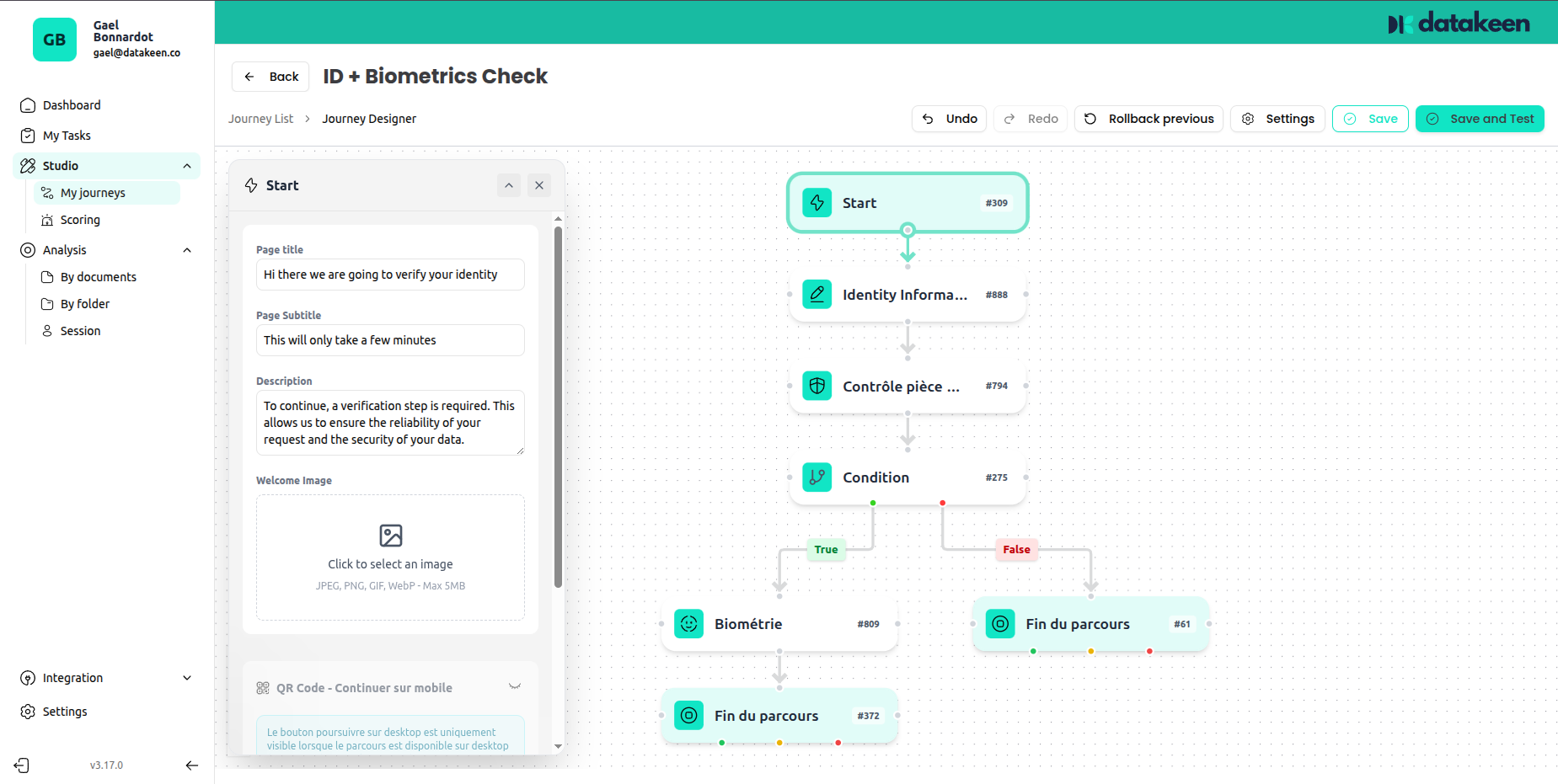
Configuration options
Welcome image
You can upload a custom image to display at the top of the welcome screen. This is a great place to put a friendly illustration, your company mascot, or any visual that fits your brand.
Accepted formats: JPG, PNG, SVG. Recommended size: 400×300px or similar.
QR Code — scan on mobile
If a user opens the journey on a desktop browser, you can offer them a QR code so they can seamlessly continue the flow on their phone. This is especially useful when biometrics or document capture are involved, as these work best on mobile.
Enable the option "QR Code — Continue on mobile" to activate this feature.
Terms & Conditions
If your journey requires users to consent to terms and conditions before proceeding, toggle on "Terms of use". When enabled, users must explicitly check a box to accept before they can continue.
This is useful for GDPR consent, privacy notices, or any legal text you need users to acknowledge.
Tips
- Keep the welcome screen simple and reassuring — users are about to go through an identity verification process, which can feel unfamiliar.
- If you're asking for a selfie or document scan, mention it briefly on the welcome screen so users know to have their documents at hand.
- The journey name and description set in journey parameters appear in the back office but are not shown to end users.
Updated 1 day ago