
Biometrics
Verify the user's identity with a selfie and liveness check
The Biometrics node asks the user to take a selfie. Datakeen then uses AI to:
- Verify liveness — confirm the user is a real person present in front of the camera (not a photo or a screen)
- Match the face against the photo on their identity document (if an Identity Document Check was performed earlier in the journey)
This step is powered by a certified liveness detection engine (ISO 30107-3 and CEN/TS 18099 certified).
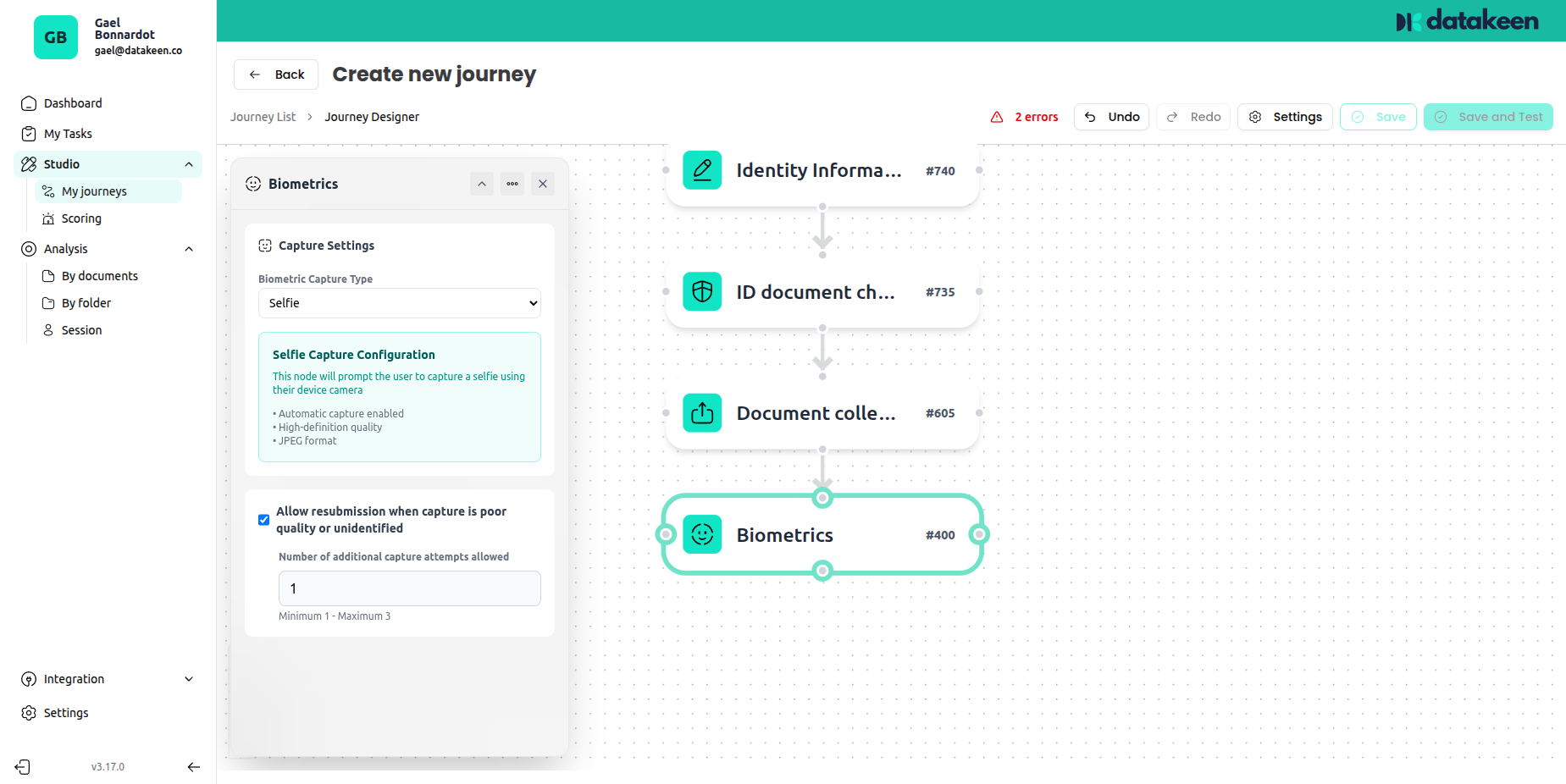
What the user experiences
The user is asked to hold their device in front of their face and follow on-screen prompts. The selfie capture process typically takes a few seconds. It works entirely in the browser — no app download required.
The experience is designed to be frictionless: the camera guides the user and provides real-time feedback to ensure the best quality capture.
Configuration options
Capture type
Currently, Selfie is the primary capture mode. This captures a still image (or short liveness sequence) of the user's face.
Selfie capture configuration
The configuration block explains the technical requirements the selfie must meet:
- Appropriate lighting
- Neutral expression
- Full face visible
- No glasses or obstructions (depending on configuration)
These requirements are communicated to the user during the capture flow — they do not need to read the back-office settings.
Re-submission
| Setting | Description |
|---|---|
| Allow re-submission | Allow the user to retry if the capture fails |
| Number of additional attempts allowed | Number of additional attempts allowed (default: 1) |
Liveness detection
Liveness detection ensures the person taking the selfie is physically present and alive — not a static photo, a printed picture, or a face displayed on another screen. This is a critical anti-fraud measure for KYC processes.
The engine is certified by iBeta and meets NIST PAD Level 1 and Level 2 standards.
Face match with identity document
If your journey includes an Identity Document Check node before the Biometrics node, Datakeen will automatically compare the selfie against the photo on the scanned document. A mismatch is flagged for your analysts to review.
See Identity Document Check — Code 7.1 for details on how this result is handled.
Tips
- The Biometrics node works best on mobile — front-facing cameras on smartphones are generally better suited to selfie capture than webcams.
- If you're using Desktop mode, consider enabling the QR code on the Start node so users can continue on their phone from the selfie step onwards.
- Placing Biometrics after the Identity Document Check allows the face match to run automatically.
Updated 1 day ago