
External Database Check
Verify a company identifier against official public registries
The External Database Check node allows you to automatically verify a company's registration number against an official public registry — without the user having to do anything extra.
It's designed for business KYC (KYB) use cases, where you need to confirm that a company actually exists and is registered.
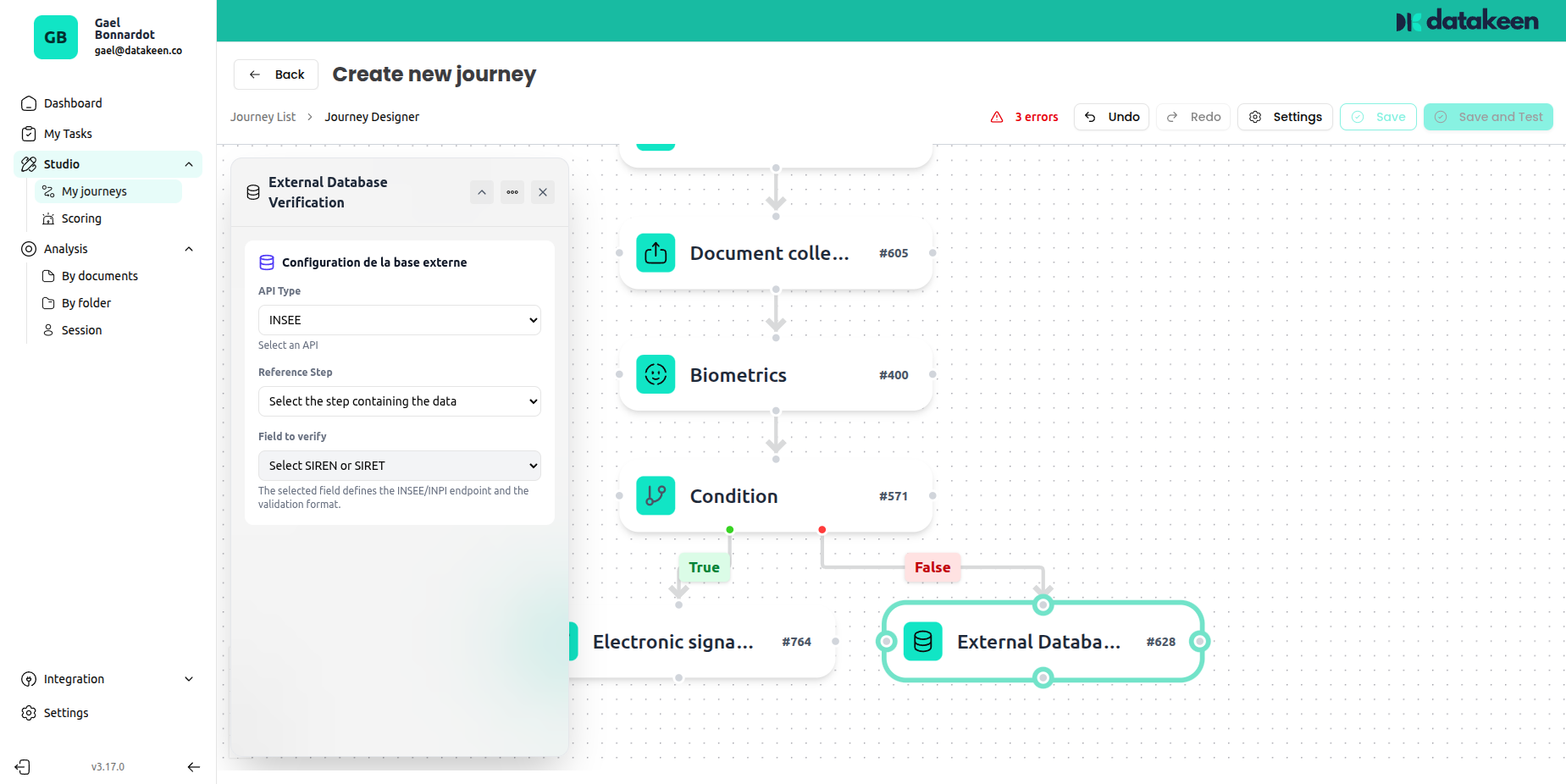
Supported registries
Currently, the External Database Check supports:
| Interface | Registry | What it verifies |
|---|---|---|
| RNE | Registre National des Entreprises | French company registration |
| RBE | Registre des Bénéficiaires Effectifs | French shareholder registration |
The INSEE directory is also supported for SIRET/SIREN verification.
More registries may be added over time. Contact support if you need a specific integration.
How it works
- A previous step in the journey collects a company identifier — typically a SIRET or SIREN number (via the Identity Information or Document Collection node).
- The External Database Check node picks up that value and queries the registry automatically.
- If the company is found and active, the journey continues normally.
- If not found or inactive, a failure action is triggered (configurable).
This happens invisibly to the user — there's no extra action required from them.
Configuration
Reference step
Select the earlier step whose data should be used as the source for the verification. For example, if you collected the company's SIRET number in a Document Collection step (e.g. from a RIB document), you would select that step here.
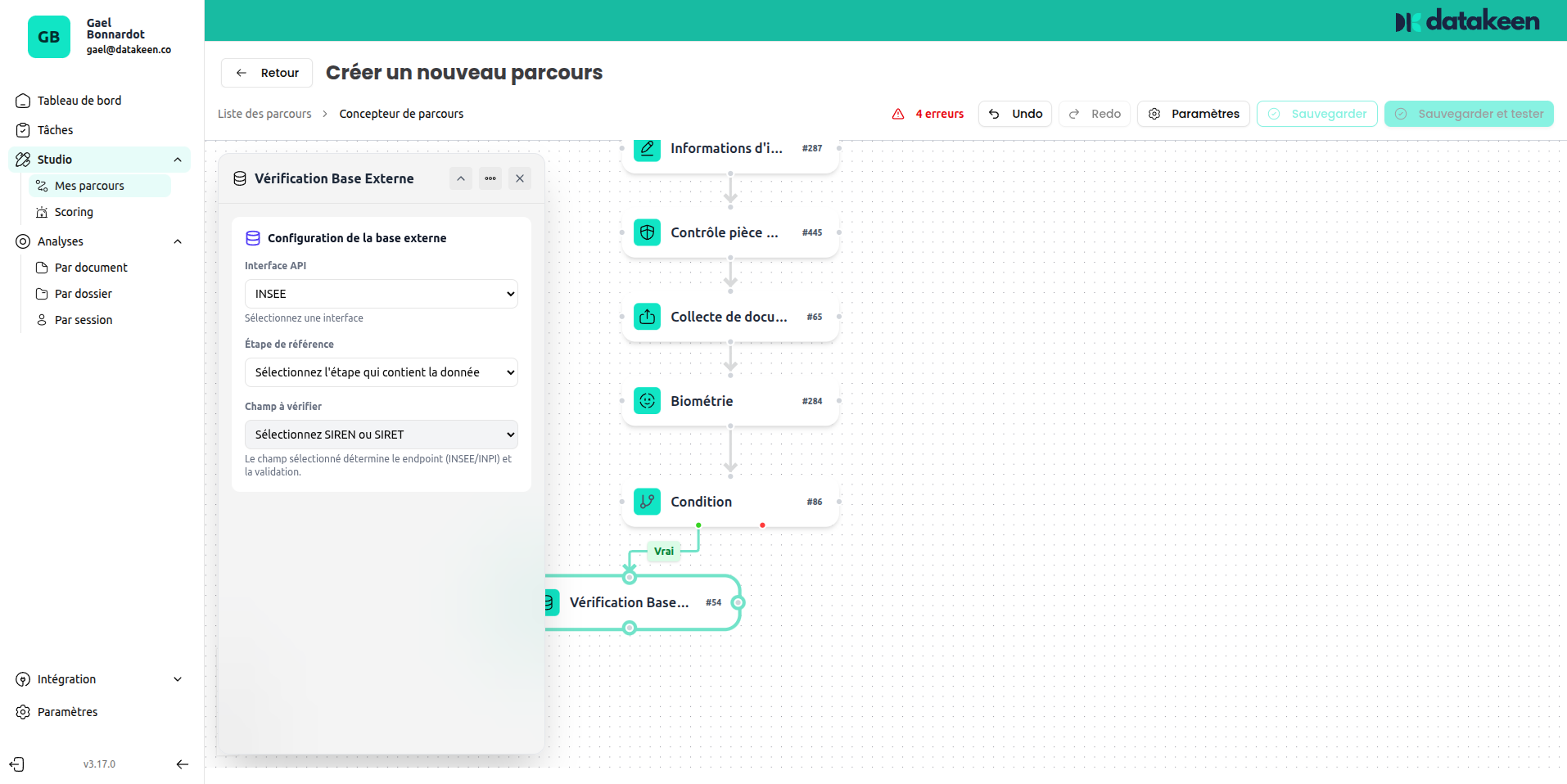
Field to verify
Choose which field from the reference step should be sent to the registry:
- SIREN — 9-digit company identifier
- SIRET — 14-digit establishment identifier (SIREN + location code)
What happens on failure
If the check fails (company not found, inactive, or identifier invalid), the journey follows your configured failure action — typically showing the user an error or terminating the journey.
Tips
- This node works best in company onboarding flows, after collecting the SIRET either through a form field or by scanning a KBIS document.
- The check is automatic and instantaneous — it does not add visible delay to the user experience.
- For individual identity verification (not company), this node is not applicable. Use the Identity Document Check instead.
Updated 1 day ago