
Document Collection
Ask your users to upload one or more supporting documents
The Document Collection node asks your user to provide one or more documents — anything from a payslip to a proof of address to a bank statement. Unlike the Identity Document Check (which verifies an ID with AI), this step is focused on collecting supporting documents, which are then stored in the session for your analysts to review.
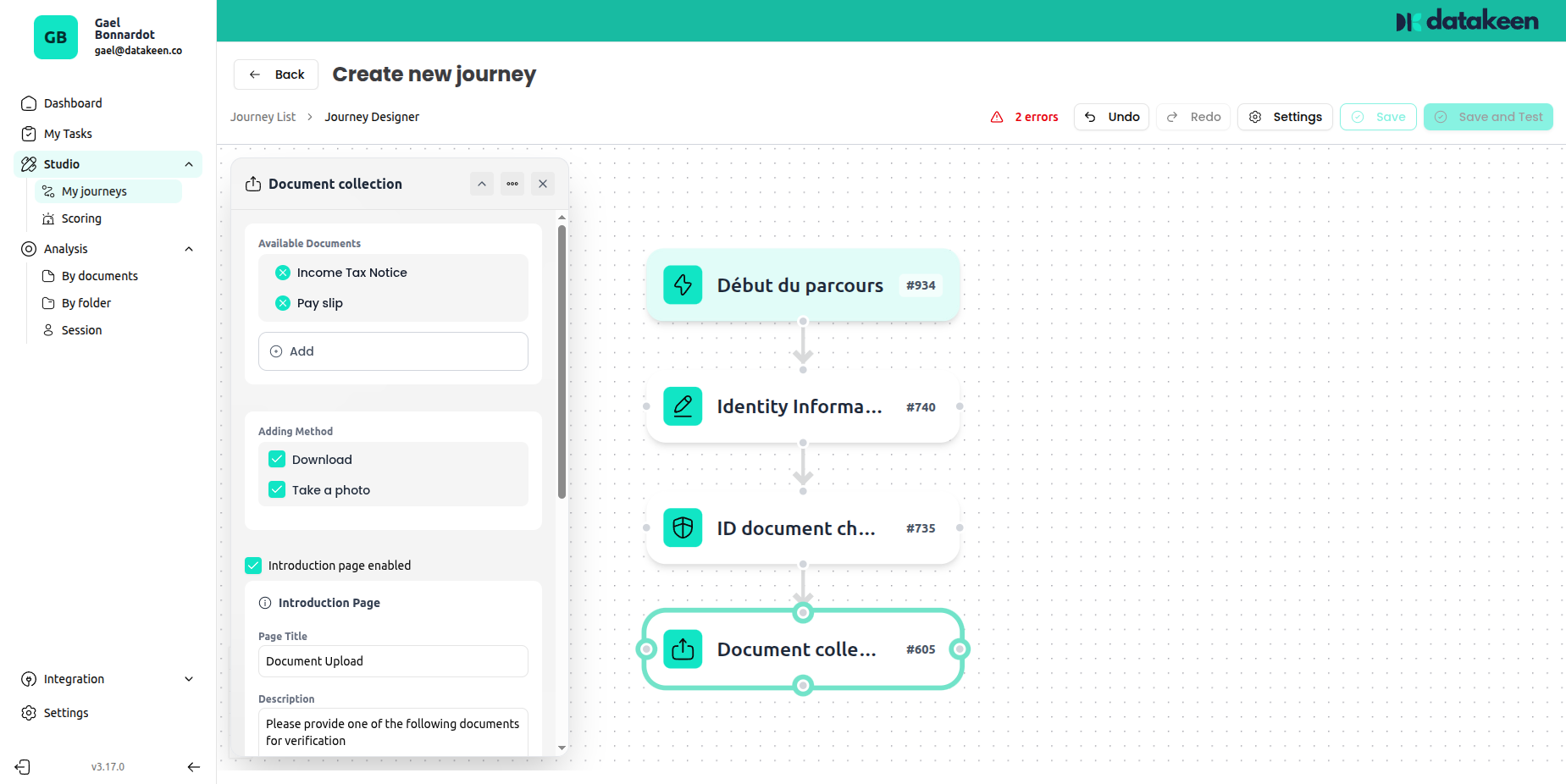
Choosing which documents to request
The left panel shows a large library of pre-defined document types. Browse and select the ones you need — for example:
- Proof of address
- Social security Card
- Bank account details
- Tax assessment notice
- Rent receipt
- Company registration extract (KBIS)
- And many more...
Simply tick the document types you want to accept. You can select multiple types — the user will be able to choose which one they have and upload it.
Collecting a custom document type
If the document you need isn't in the predefined list, select "Other" and give it a custom name (e.g. "Proof of funds", "Letter of recommendation"). The user will see your custom name as the document label.
Documents collected as "Other" are stored in the session for manual review only — no AI verification is performed on them. They are purely for collection purposes.
Upload method
You can let users choose how they provide the document:
| Method | Description |
|---|---|
| Upload | The user selects a file from their device (PDF, JPG, PNG) |
| Camera | The user takes a photo directly with their device camera |
You can enable one or both methods — if both are enabled, the user chooses which they prefer.
Re-submission settings
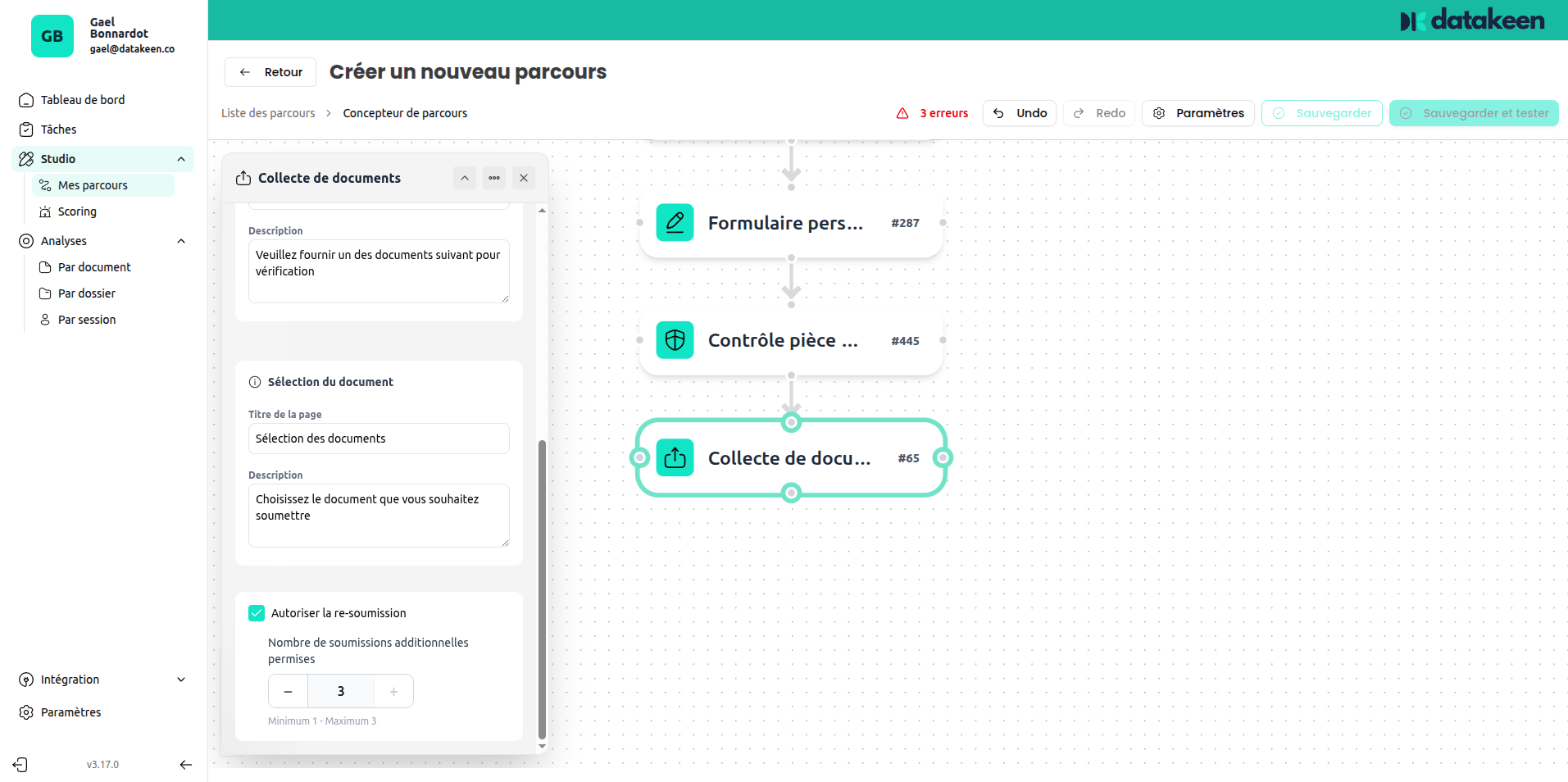
If a user uploads the wrong document or a low-quality file, you can allow them to try again.
| Setting | Description |
|---|---|
| Allow re-submission | Enables the retry option for this step |
| Number of additional submissions allowed | How many additional attempts the user can make (default: 3) |
Page title and description
You can customise the title and instructions shown to the user before they upload. Use this to explain which document is needed and why.
Example:
"Please provide one of the following documents to support your application. Make sure the document is valid and clearly legible."
Tips
- The Document Collection node is for supporting evidence — it does not run AI verification. If you need AI-powered document checking (forgery detection, data extraction), use the Identity Document Check node.
- If you need the user to provide multiple unrelated documents (e.g. a bank statement AND a payslip), you can add two Document Collection nodes in sequence — one per document type.
- Accepting PDF uploads is recommended when users are on desktop, where they're more likely to have scanned documents.
Updated 1 day ago