
Scoring Models
Automatically score and classify verification results based on your own risk rules
Scoring Models let you define automatic risk scoring rules for your verification results. Instead of reviewing every document manually, you can set up rules that assign a score to each session or document — and then classify that score into risk tiers (e.g. low risk, medium risk, high risk).
This is particularly useful for high-volume use cases where you need to prioritise which cases need attention and which can be auto-approved.
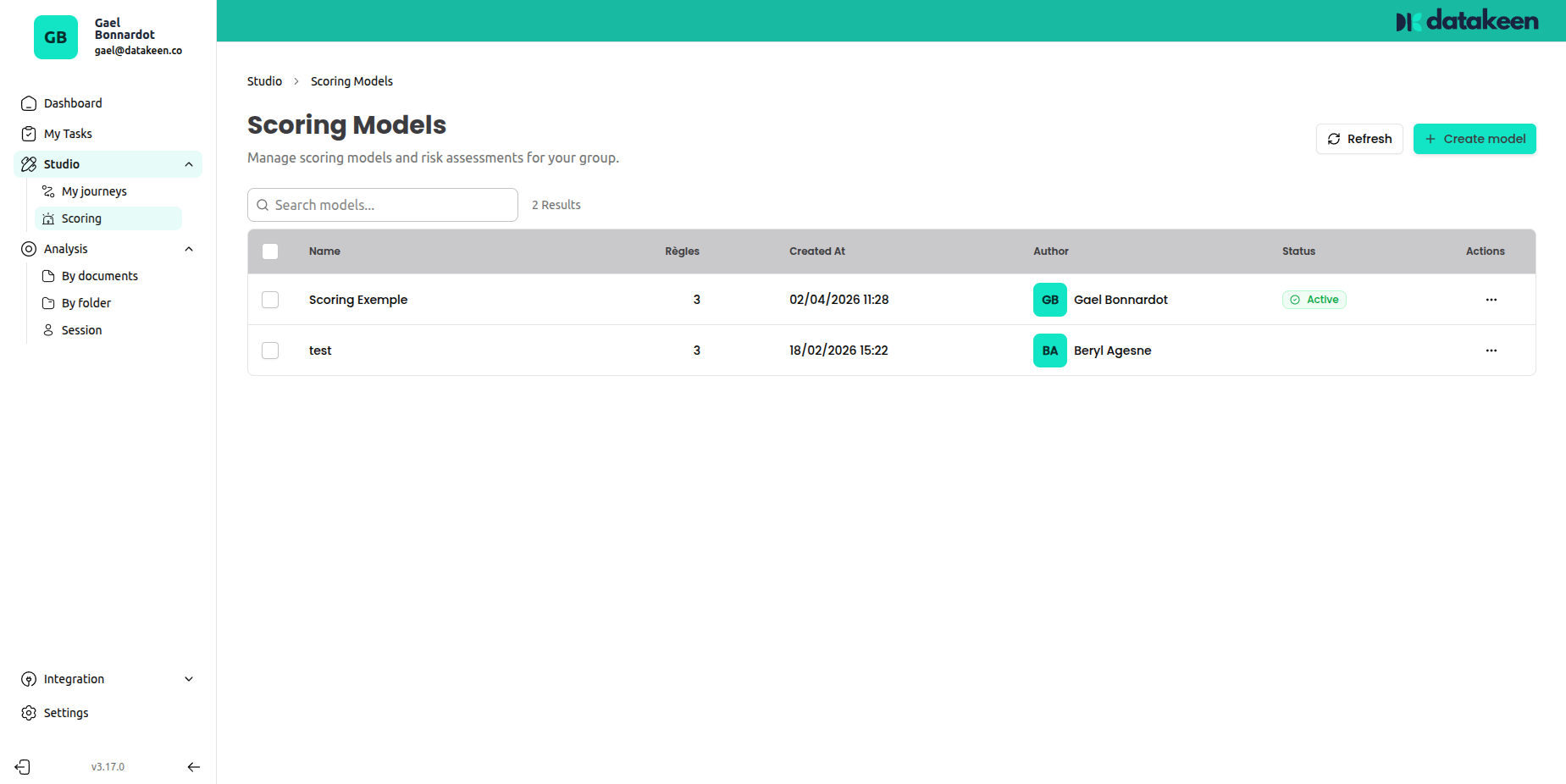
How scoring works
A scoring model has two parts:
- Rules — conditions that add or subtract points based on data in the session
- Risk tiers — point ranges that correspond to a risk label (e.g. 0–30 = low risk, 31–70 = medium risk, 71–100 = high risk)
When a session is evaluated, the model calculates the total score by applying all matching rules, then assigns the session to the corresponding risk tier.
Creating a scoring model
From the sidebar, go to Studio → Scoring, then click "Create model" in the top-right corner.
Give your model a name, then switch between the two tabs to configure rules and risk tiers.
Scoring Rules
The Rules tab is where you define what earns (or costs) points.
Each rule follows an IF / THEN structure:
- If a field (e.g. "Country of Origin") equals a certain value (e.g. "Afghanistan")
- Then add (or subtract) a number of points
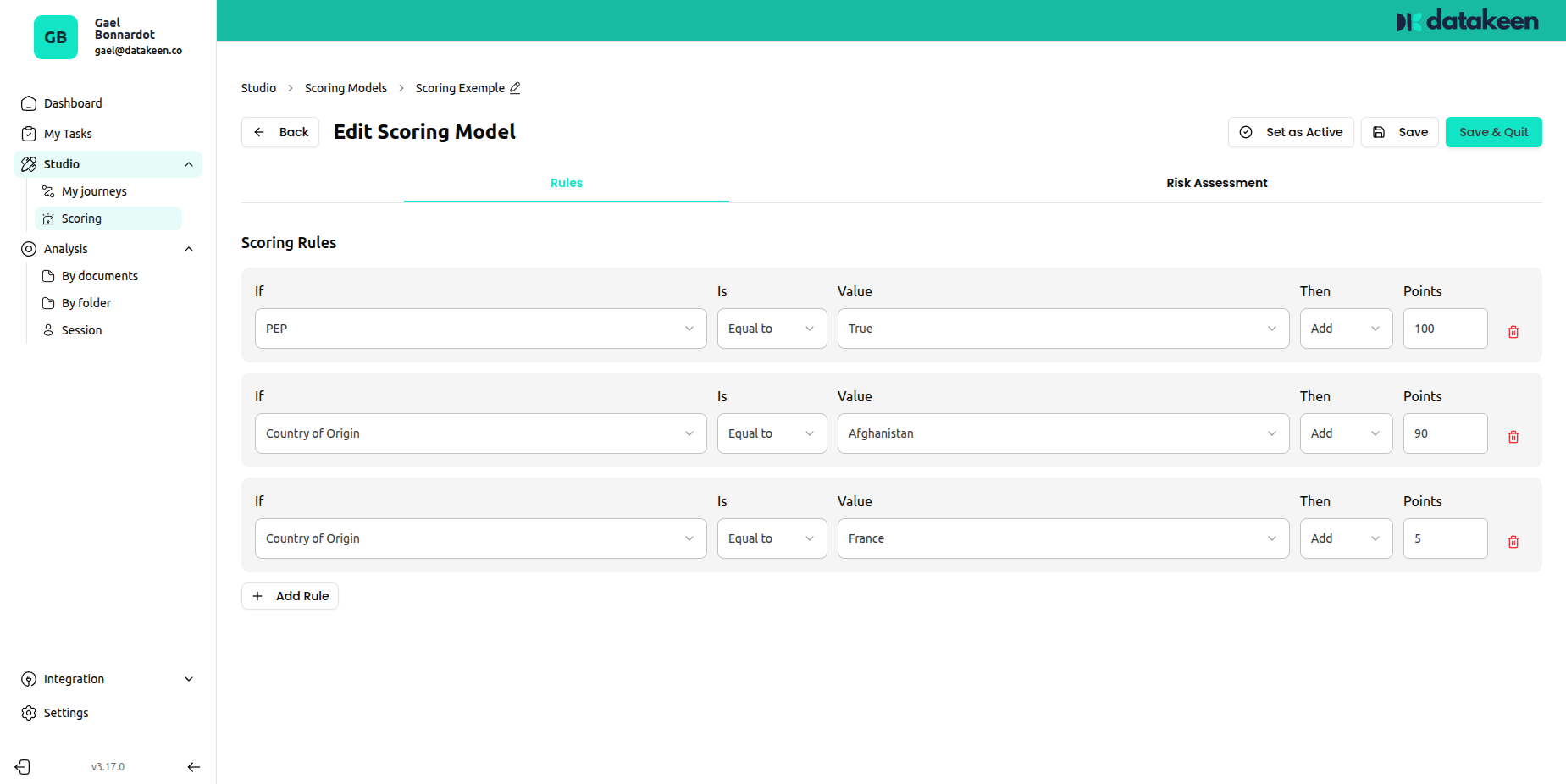
Rule structure
| Part | Description |
|---|---|
| If | The field to evaluate (e.g. Country of Origin, KYC result, nationality…) |
| Is | The comparison operator (equals, not equals, greater than…) |
| Value | The value to compare against |
| Then | The action: add or subtract points |
| Points | The number of points to award or deduct |
Click "+ Add rule" to add as many rules as you need.
Risk Tier Evaluation
The Risk Assessment tab defines the score ranges and their corresponding risk labels.
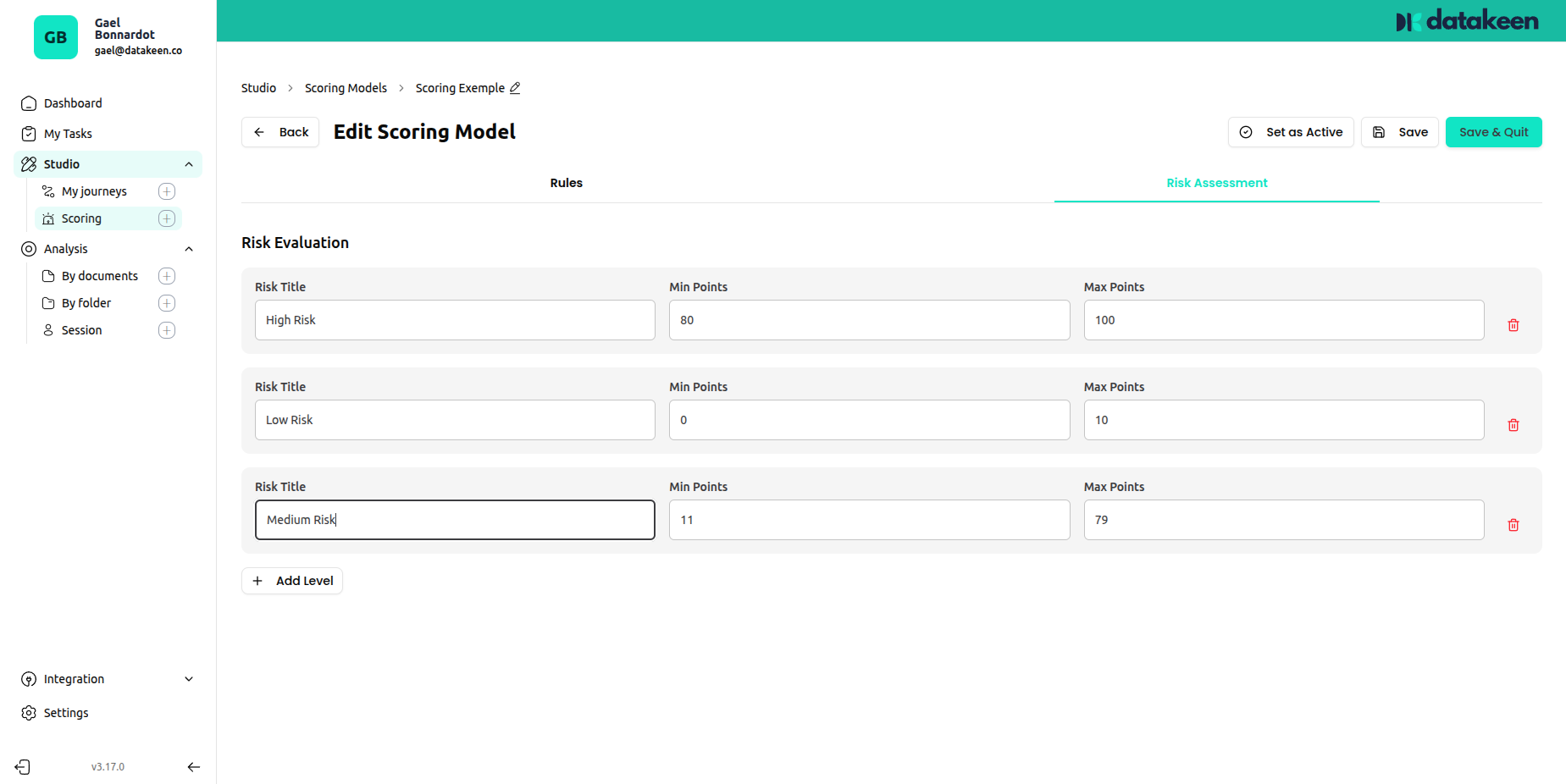
Each tier has:
| Field | Description |
|---|---|
| Risk Title | The name of the risk level (e.g. "High Risk", "Low Risk", "Medium Risk") |
| Min Points | The minimum score for this tier |
| Max Points | The maximum score for this tier |
Click "+ Add level" to add more tiers.
Example configuration:
| Tier | Min | Max |
|---|---|---|
| Low Risk | 0 | 30 |
| Medium Risk | 31 | 70 |
| High Risk | 71 | 100 |
Activating and saving a model
Once your model is configured, click "Save and Publish" to save. You can also toggle the model Active / Inactive using the button in the top bar.
Only active models are applied to new sessions.
Tips
- Start with a simple model with a few key rules, then refine it based on real data.
- You can have multiple models — for example, one for individual KYC and one for company KYB.
- Rules are evaluated cumulatively — a session can match multiple rules and accumulate points from all of them.
- If two tiers have overlapping ranges, the first matching tier wins. Make sure your tiers are mutually exclusive (no overlap).
Updated 2 days ago