
Account & Security
Manage your personal profile, password, and two-factor authentication
The Account settings let you keep your personal information up to date and secure your account with two-factor authentication.
My Account
The My Account tab shows your personal profile details.
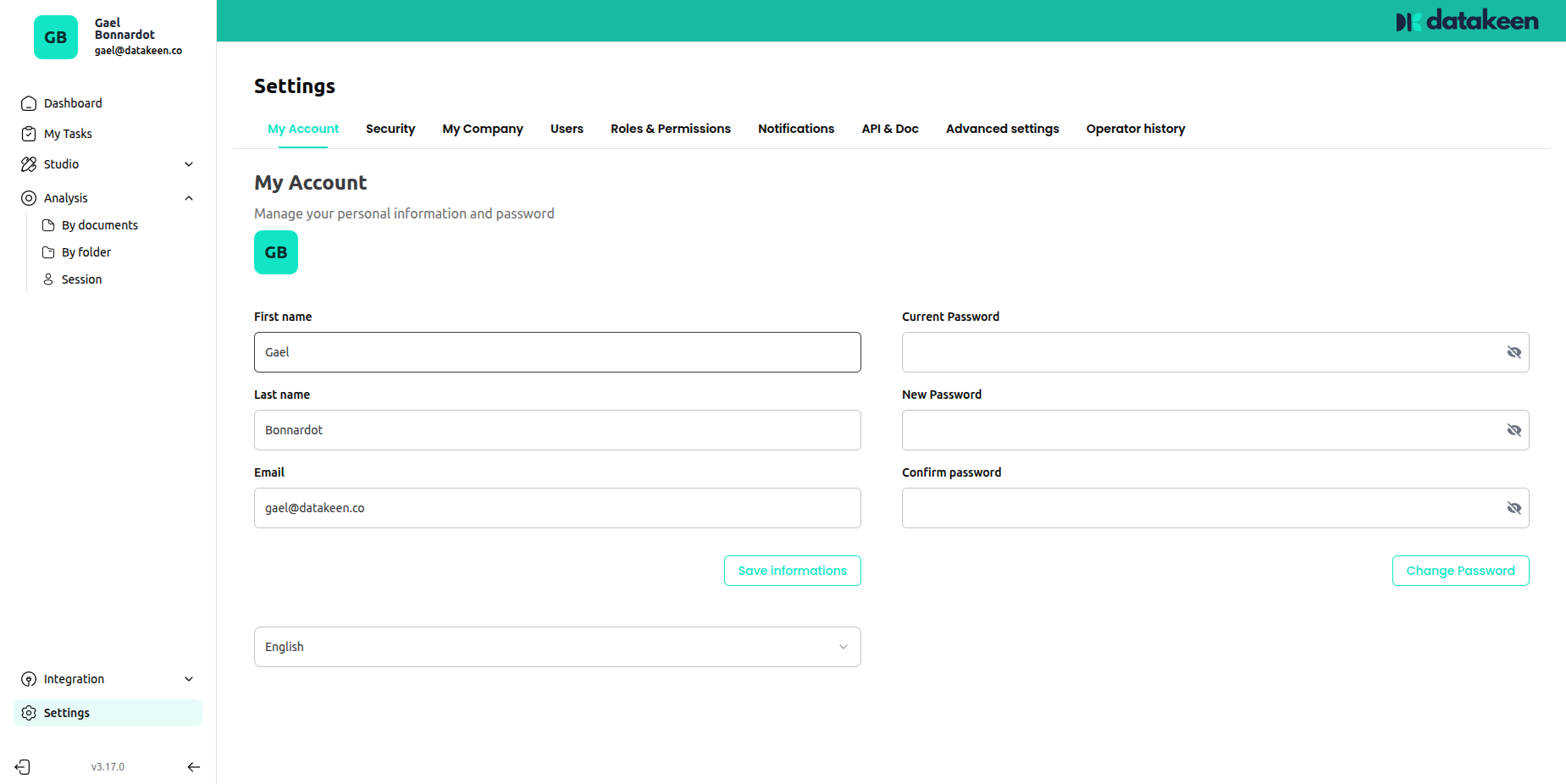
What you can update
| Field | Description |
|---|---|
| First name | Your first name |
| Last name | Your last name |
| Your login email address | |
| Language | Your preferred interface language (English / French) |
Changing your password
To update your password, fill in:
- Current password — your current password
- New password — your new password
- Confirm password — repeat the new password
Then click "Change password".
Choose a strong password — at least 12 characters, with a mix of letters, numbers, and symbols.
Security — Two-Factor Authentication
The Security tab lets you set up two-factor authentication (2FA) for an extra layer of security on your account.
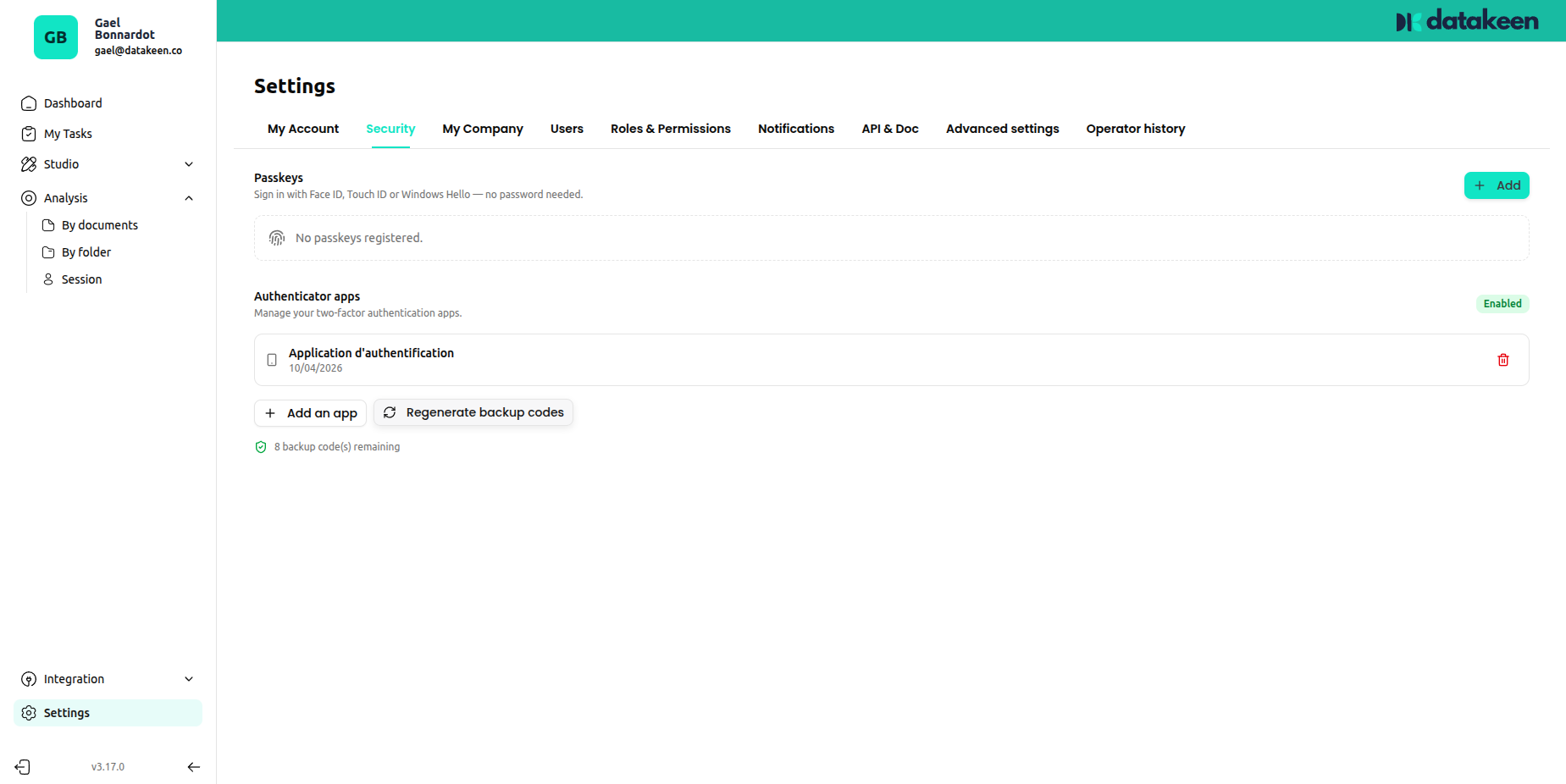
Access keys
The top of the page shows your active access keys. These are session tokens for your current logged-in devices.
Setting up 2FA
Datakeen uses TOTP (Time-based One-Time Password) — the same standard used by Google Authenticator, Authy, and similar apps.
To enable 2FA:
- Click "Add an app" under Authentication apps
- Scan the QR code displayed with your authenticator app
- Enter the 6-digit code shown in the app to confirm setup
Once enabled, you'll be asked for a code from your authenticator app every time you log in.
Backup codes
Click "Regenerate backup codes" to generate emergency backup codes. Store these in a safe place — they allow you to log in if you lose access to your authenticator app.
Each backup code can only be used once. Regenerating new ones will invalidate all existing codes.
Notifications
The Notifications tab controls when Datakeen sends you email alerts.
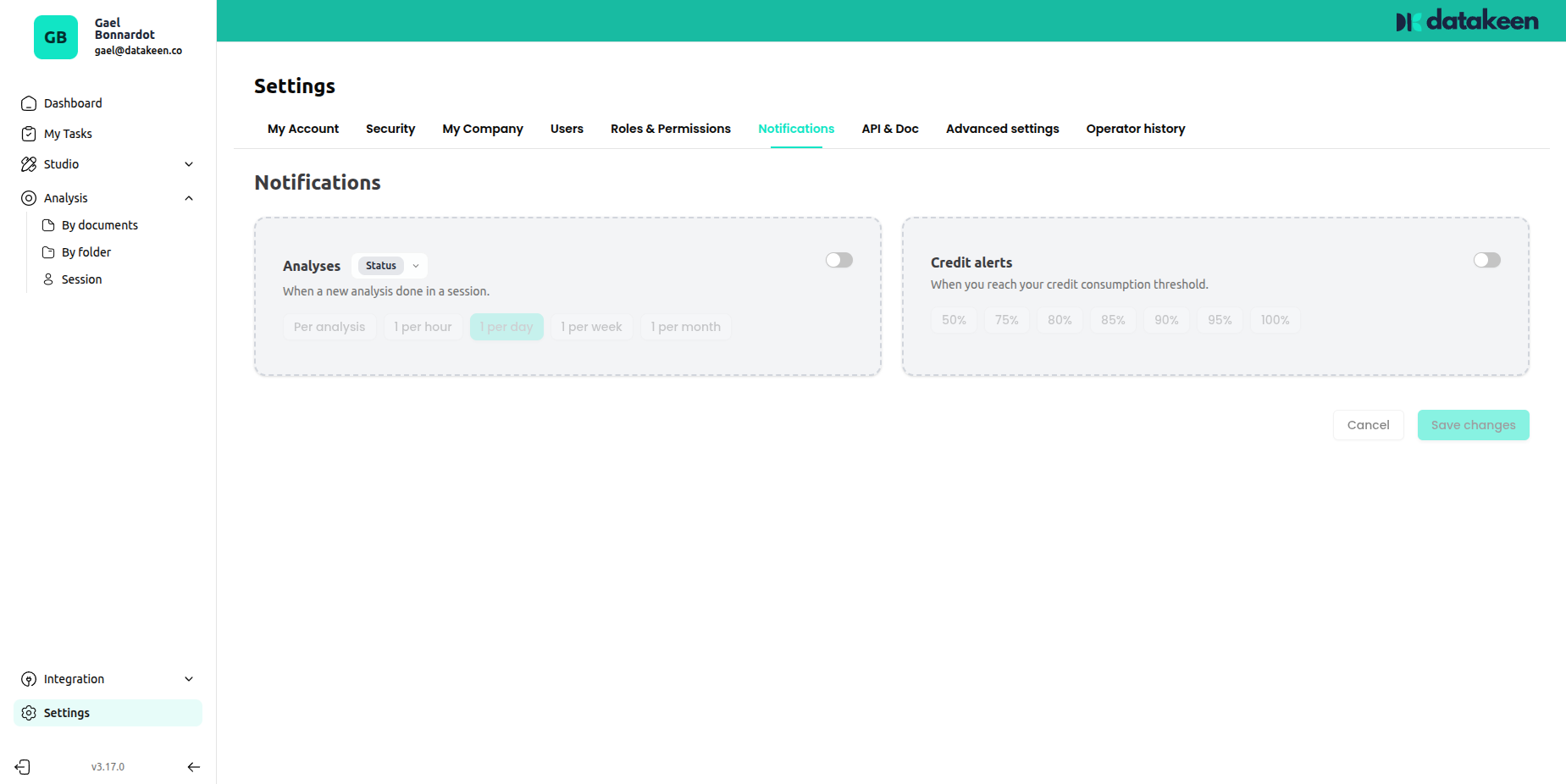
| Notification | When it fires |
|---|---|
| Analyses | When a new analysis is completed on a session |
| Credit alerts | When your credit balance drops below a threshold you set |
Toggle each notification on or off using the switches. For the credit alert, set your preferred threshold percentage.
Updated 2 days ago