
Advanced Settings
Configure webhooks, data retention, session expiry, and access the operator audit trail
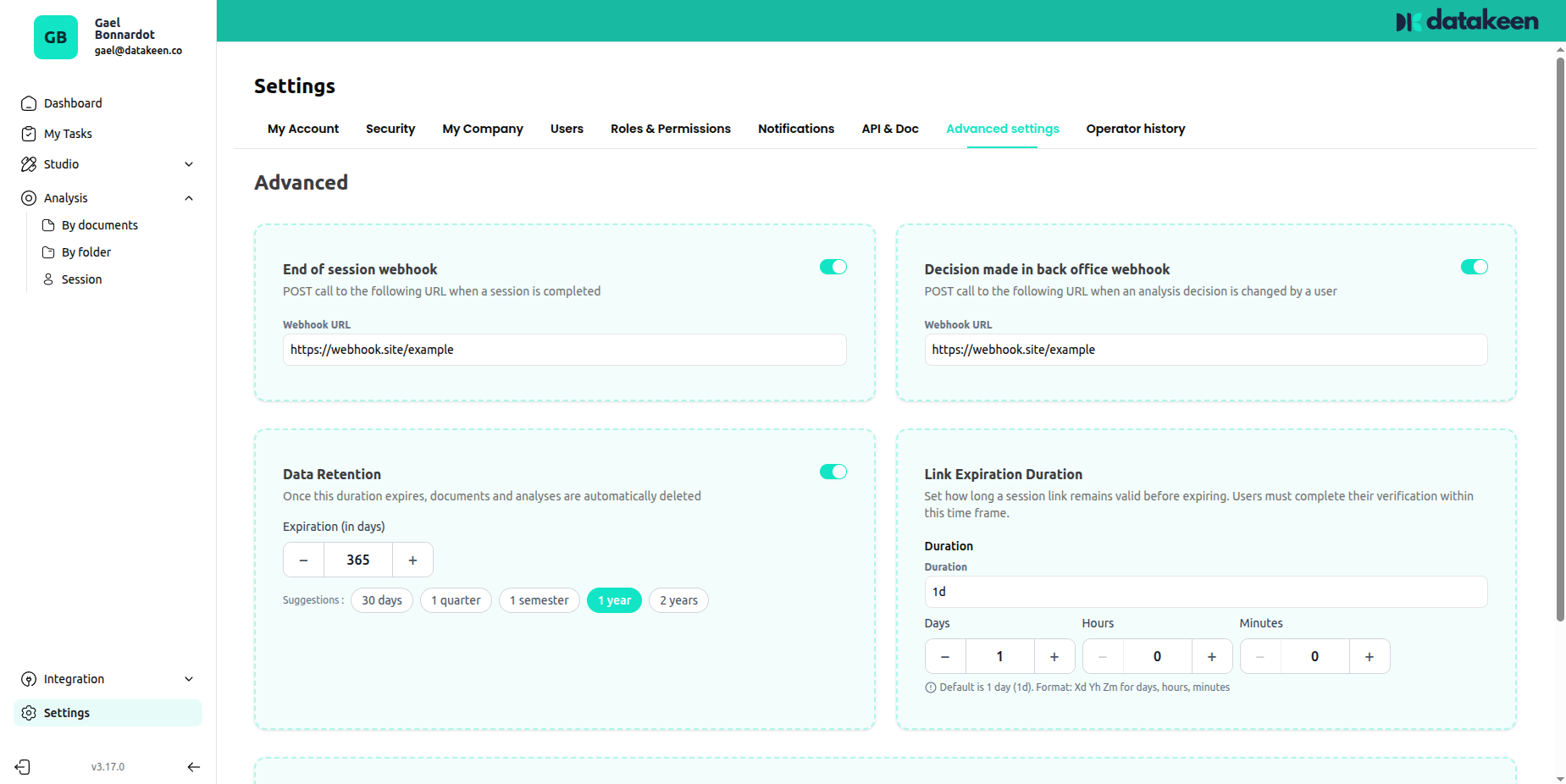
The Advanced settings tab contains powerful configuration options for more technical setups — webhooks, data retention policies, session link expiry, and mobile app testing.
Webhooks
Webhooks allow Datakeen to push notifications to your system automatically when specific events occur. Instead of polling the API to check for new results, your server receives a real-time HTTP POST request the moment something happens.
Session end webhook
URL field: End of session webhook
This webhook fires when a journey session is completed (the user reaches the End node). Use it to:
- Trigger a next step in your onboarding flow
- Update a record in your CRM
- Send a confirmation email to your customer
- Unlock access in your application
Back office decision webhook
URL field: Decision made in back office webhook
This webhook fires when an analyst makes a decision on a session in the back office (approves or rejects it). Use it to notify your system of the outcome in real time.
Webhook payloads
Both webhooks send a POST request with Content-Type: application/json to the URL you provide. Make sure your server returns a 200 OK response to acknowledge receipt.
Session end webhook payload:
{
  "sessionId": "662f5f9c9c18e30012c2f021",
  "newStatus": "ai_approved"
}| Field | Description |
|---|---|
| sessionId | The unique identifier of the completed session |
| newStatus | The consolidated session verdict: ai_approved, ai_rejected, verify, user_approved, or user_rejected |
Back office decision webhook payload:
{
  "analysisId": "680a29939ae31600116ae34b",
  "entityId": "680a29939ae31600116ae358",
  "correlationId": "TEST-123456",
  "sessionId": "ca43a641d3a8e702dc2dbcd4",
  "newStatus": "user_approved"
}| Field | Description |
|---|---|
| analysisId | The unique identifier of the analysis that was reviewed |
| entityId | The entity (person or company) associated with the analysis |
| correlationId | The correlation ID linking related API calls, if set |
| sessionId | The session ID, if the analysis is part of a journey session (can be null for standalone analyses) |
| newStatus | The new status set by the analyst: user_approved or user_rejected |
Data retention
Set how long documents and analyses are stored before being automatically deleted. Once the retention period expires, documents are permanently removed.
This setting helps you comply with GDPR and other data minimisation requirements. Set it to the minimum duration your business actually needs.
If left unset, documents are retained indefinitely (subject to your subscription terms).
Session link expiry
Controls how long a journey session link remains valid after it's created. After this time, the link expires and the user would need a new link to complete the journey.
Set a duration in days, hours, and minutes.
Default: 1 day (1d)
For time-sensitive processes (e.g. a verification that must be completed before a meeting), set a short expiry. For documents sent to customers who may take their time, a longer window (3–7 days) is more appropriate.
Operator Action History
The Operator action history tab gives you a complete audit trail of everything your team has done in the back office.
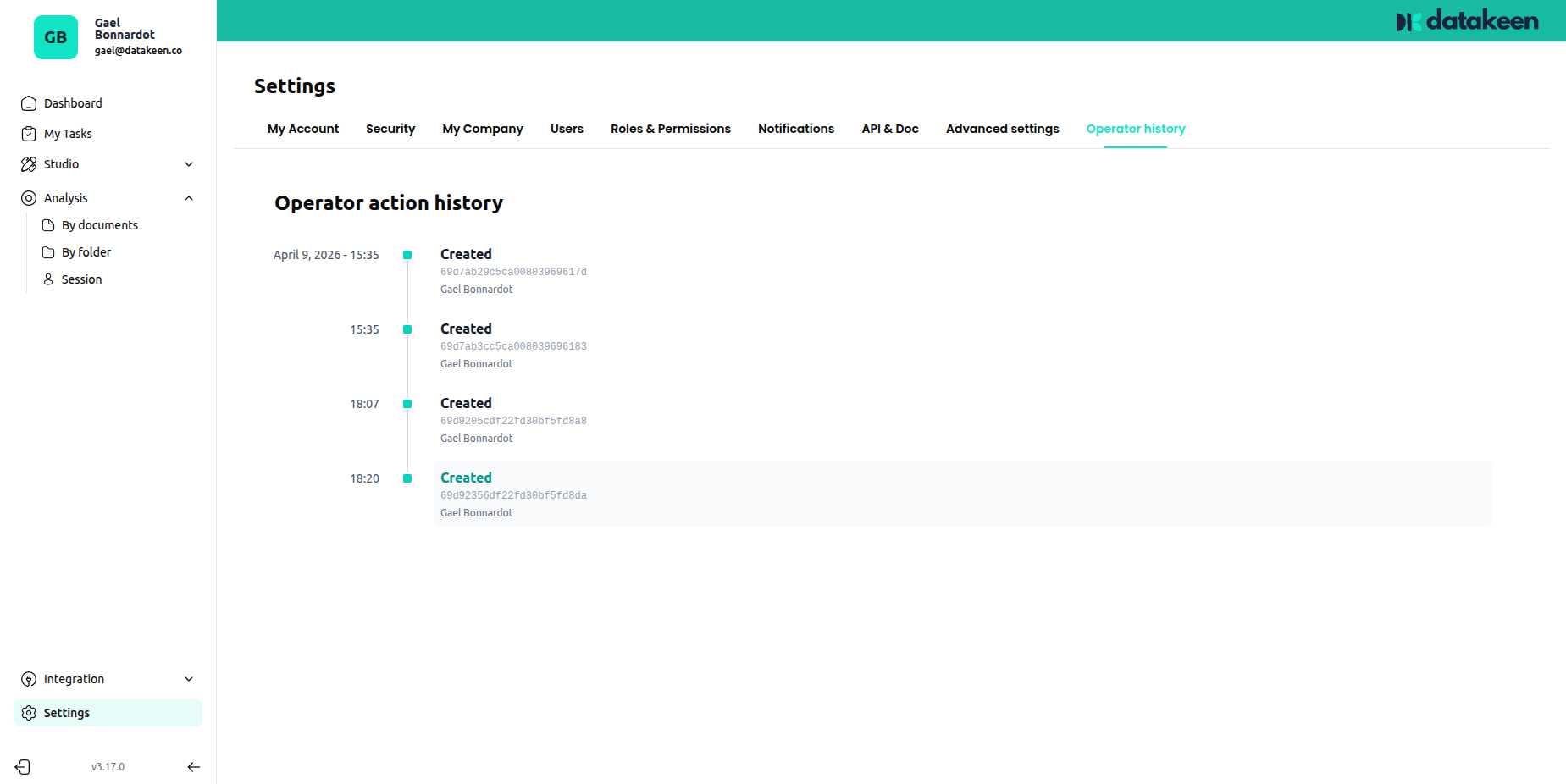
Every action is logged with:
- A timestamp
- The type of action (creation, modification, deletion…)
- The user who performed it
- The resource that was affected
This is your security and compliance log — use it to investigate unexpected changes, audit access, or demonstrate compliance during reviews.
Tips
- Set up your session end webhook early — it's the cleanest way to integrate Datakeen results into your own system without polling.
- Keep your data retention as short as practically possible. Only retain data for as long as you have a legitimate business reason.
- The operator action history cannot be deleted or modified — it's an immutable audit log.
Updated 1 day ago